Know what's slowing you down and manage your system.
Before it happens.
Get an instant, one-click view of the processes hogging your RAM or heating up your cores. Stop digging through system settings—get the data you need to keep your workflow smooth and lag-free.
Features
See the exact interface you get after purchase
Every card below pairs a real feature explanation with an app-faithful preview. Same dark UI, same layout, same information density as the macOS app itself.
Live in the menu bar
Four live tiles that stay visible without becoming noisy.
CPU, GPU, RAM, and temperature stay in one monochrome line directly in the macOS menu bar. No separate window, no Dock icon, and no distracting alert colors in your peripheral vision.
- Tile order and visibility can be adjusted with a few clicks
- Values and icons stay crisp and calm until something truly matters
- Updates run independently in the background, even while you work elsewhere
P/E core split
See exactly which cluster is doing the work.
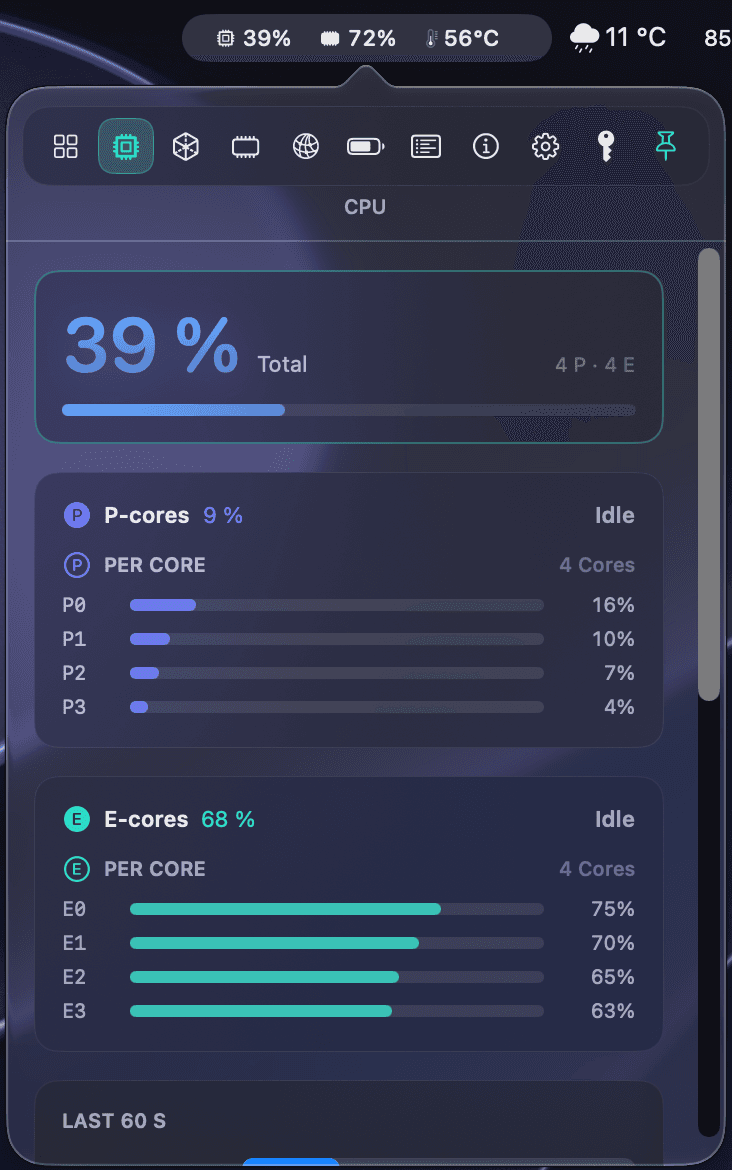
Apple Silicon divides CPU load across performance and efficiency cores. Activity Monitor only shows the average. MenuBarMonitor shows each cluster, each core, and live frequency side by side.
- Per-cluster load in one readable row instead of dense raw numbers
- Per-core bars make background load and short spikes obvious
- Current frequency and peak frequency stay visible for both clusters
Memory pressure
Watch real pressure events and free RAM when it actually helps.
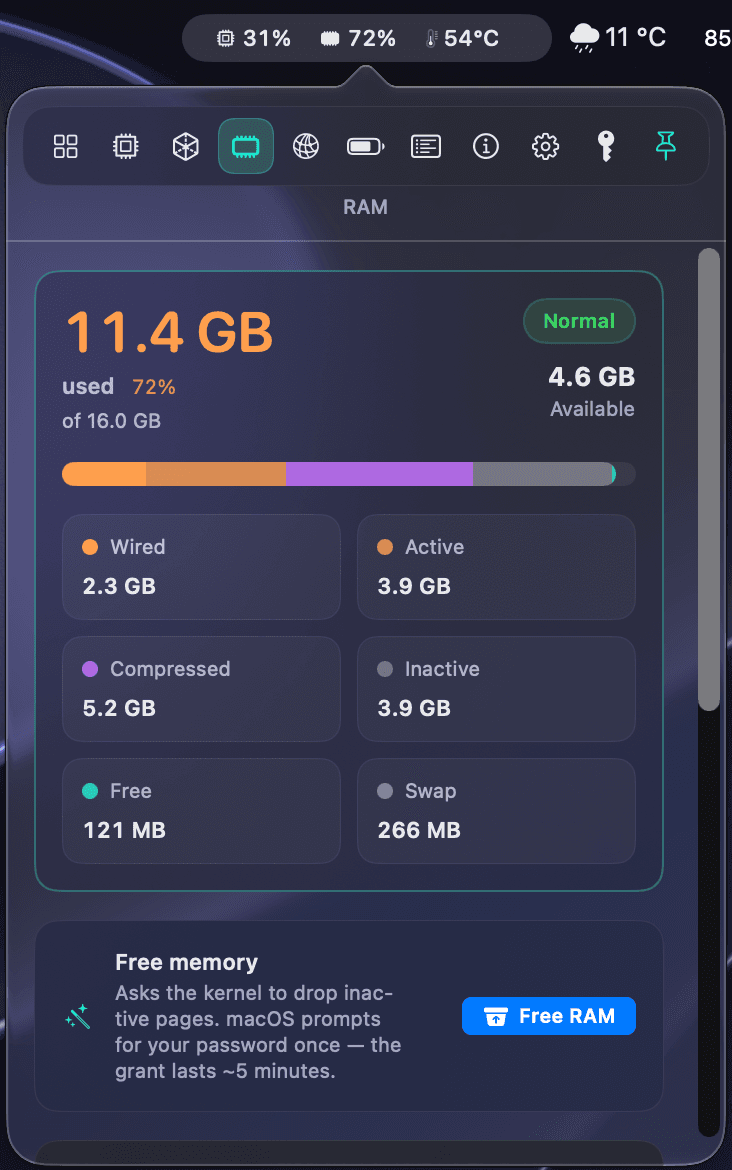
The app reads memory pressure directly from the kernel, so you can react before active memory looks full. If you want relief, one click can ask macOS to discard inactive pages.
- Wired, active, compressed, inactive, and free memory in one glance
- Largest consumers stay visible so you know who is eating RAM
- Free RAM keeps authorization persistent after the initial prompt
Battery
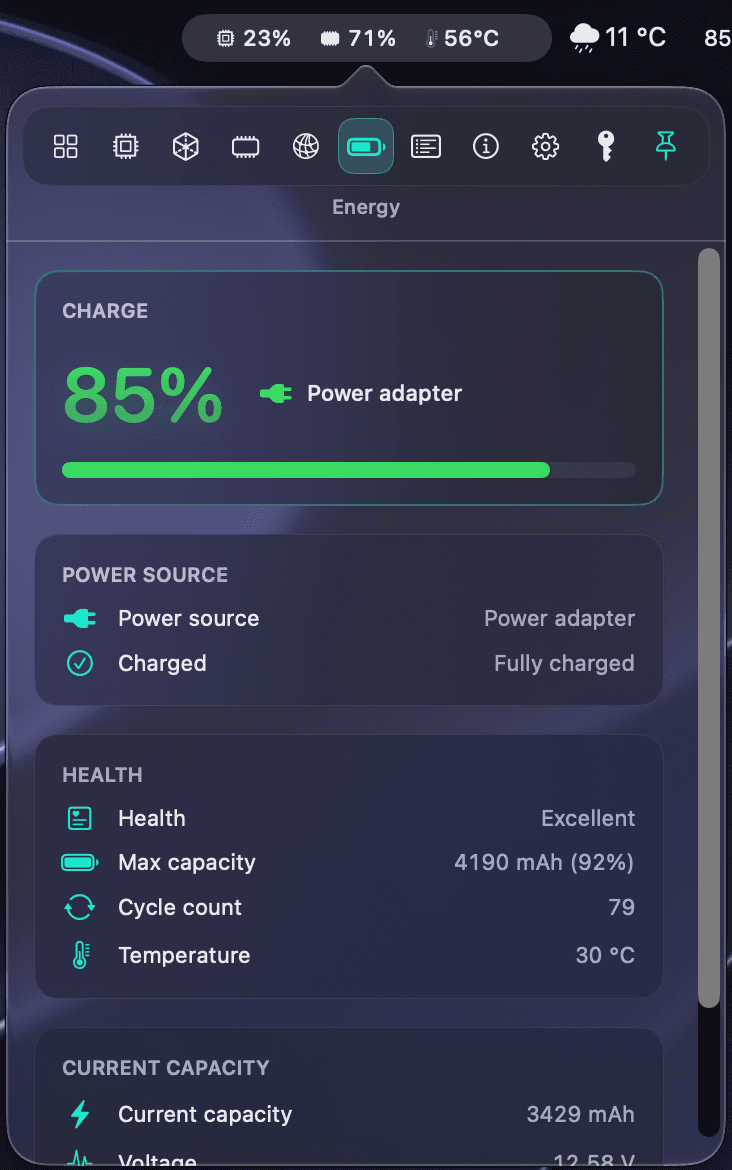
Charge level, health, and live draw — exactly what macOS shows.
MenuBarMonitor reads the battery from the same IOPS source the system menu bar uses, so the percentage matches your Mac's display down to the digit. Beneath the headline you get charging state, time-to-empty or time-to-full, cell health, voltage, and instantaneous power draw.
- Charge percentage stays in lock-step with the macOS menu bar reading
- Health grade derived from current vs. design capacity, with cycle count
- Live voltage and amperage exposed for users tracking charger behavior
Mini widget
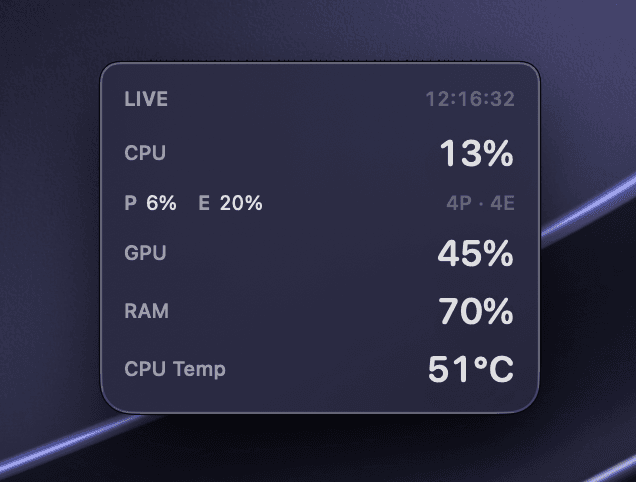
Pin the same live metrics anywhere on your desktop.
If you want the numbers larger and always visible, the mini widget floats above other windows with the same white-on-dark visual language as the menu bar strip.
- Always on top and freely positionable
- Includes the same P/E split used inside the popover
- Reuses the same metrics engine instead of duplicating CPU overhead
Configurable
Start with presets, then tune every tile to your workflow.
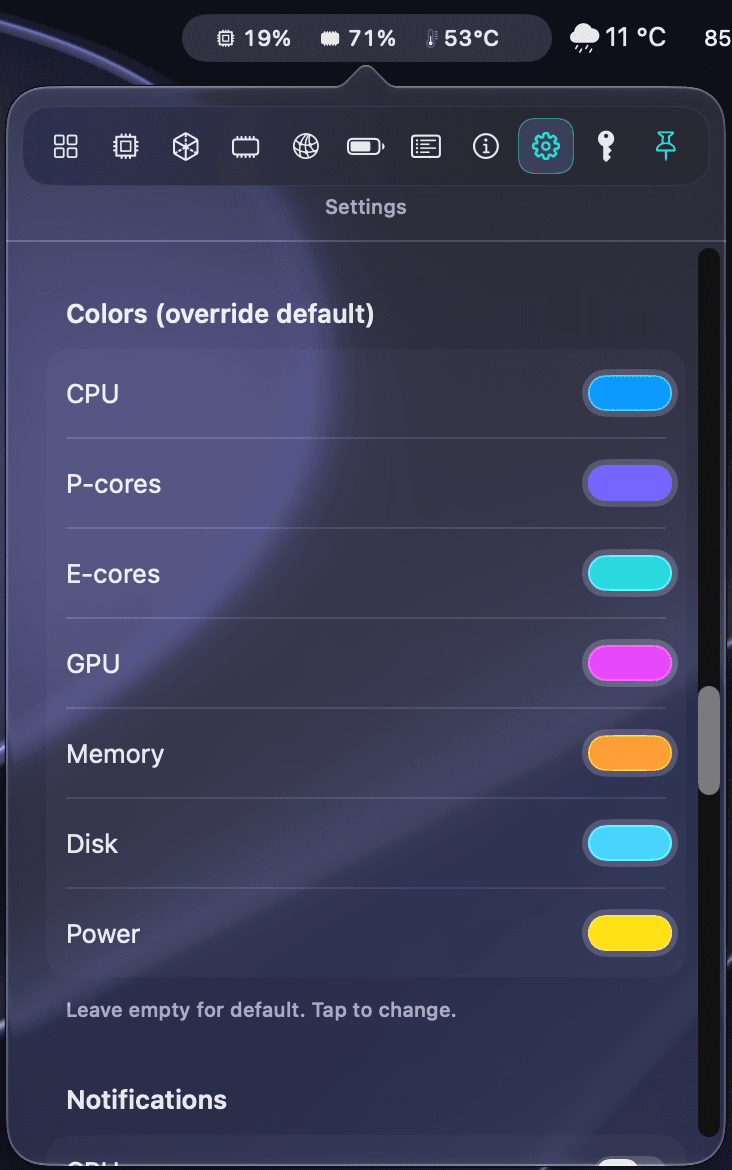
Every Mac setup is different. Use a sensible preset for day one, then adjust tile order, icons, refresh interval, and language until the layout feels native to your routine.
- Three icon styles and reorder controls for each tile
- Refresh cadence for fast render sessions or longer battery life
- App settings stay persistent across relaunches
Secure by design
If the app does not need a privilege, it does not ask for it.
MenuBarMonitor runs with Hardened Runtime and reads system metrics from public APIs. No debugger entitlements, no process killing, no hidden sudo prompts for live monitoring.
- Signed build with Hardened Runtime
- Live readings come from public system APIs that do not require root
- Memory relief uses a single authorization flow instead of repeated prompts
What's new in v3
Sensors, control, and personalization that scale with how hard your Mac actually works.
Disk-I/O, plus a Compact-mode menu bar and drag-and-drop tile reordering — every feature stays opt-in, monochrome by default, and respects the same no-root, no-telemetry contract as v2.
Headline tile rotates automatically as the workload shifts.
Personalisation · Compact mode
One headline tile when the Mac actually has something to say.
Compact mode collapses all four (or eight) tiles into a single, most-critical reading. The strip stays out of your way until thermal pressure climbs, RAM tightens, or sustained CPU load deserves a glance.
- Resolves the most-critical metric at every refresh — thermal beats memory beats CPU by default
- Priority order is configurable per profile, so a video editor and a developer don't see the same picks
- Tap to expand back to the full strip without restarting the app
Personalisation · Drag-and-drop
Reorder the menu bar with the gesture you already know.
Settings shows your tiles as a draggable list. Move thermal up, push GPU off the right edge, slot Disk in between RAM and Power — visibility and order become two independent decisions.
- Native macOS drop animation; values keep ticking while you arrange
- Up/down chevrons stay as a fallback for keyboard-only flows
- Disabled toggles dim the row but keep its slot — re-enable without re-sorting
Disk I/O
Read and write throughput, IOPS, and per-volume totals.
Read straight from IOKit's IOBlockStorageDriver counters — no shell-out, no AppleScript. The popover shows live MB/s plus the cumulative volumes view so you can spot a backup hammering an external SSD without leaving the menu bar.
- Per-volume rollup for internal and external drives
- Read/write IOPS for catching small-block storms
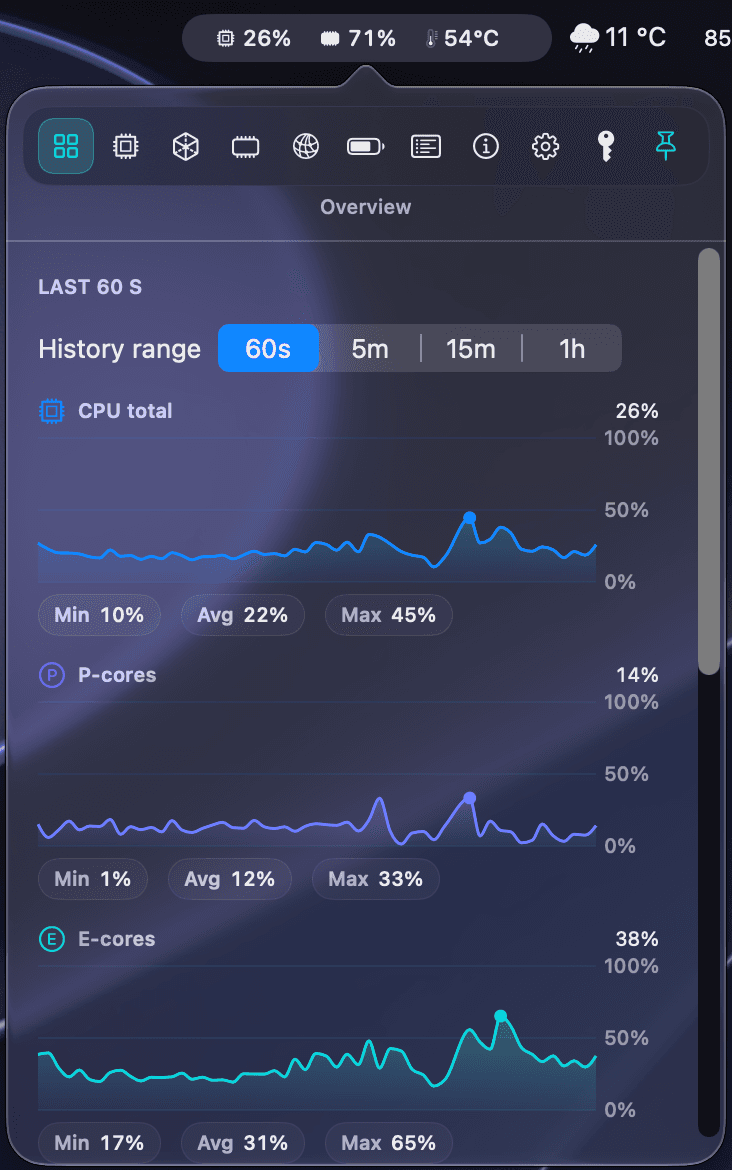
- Throughput history mirrors the same chart styles as CPU/GPU
Background hog detector
Find the apps that quietly run hot in the background.
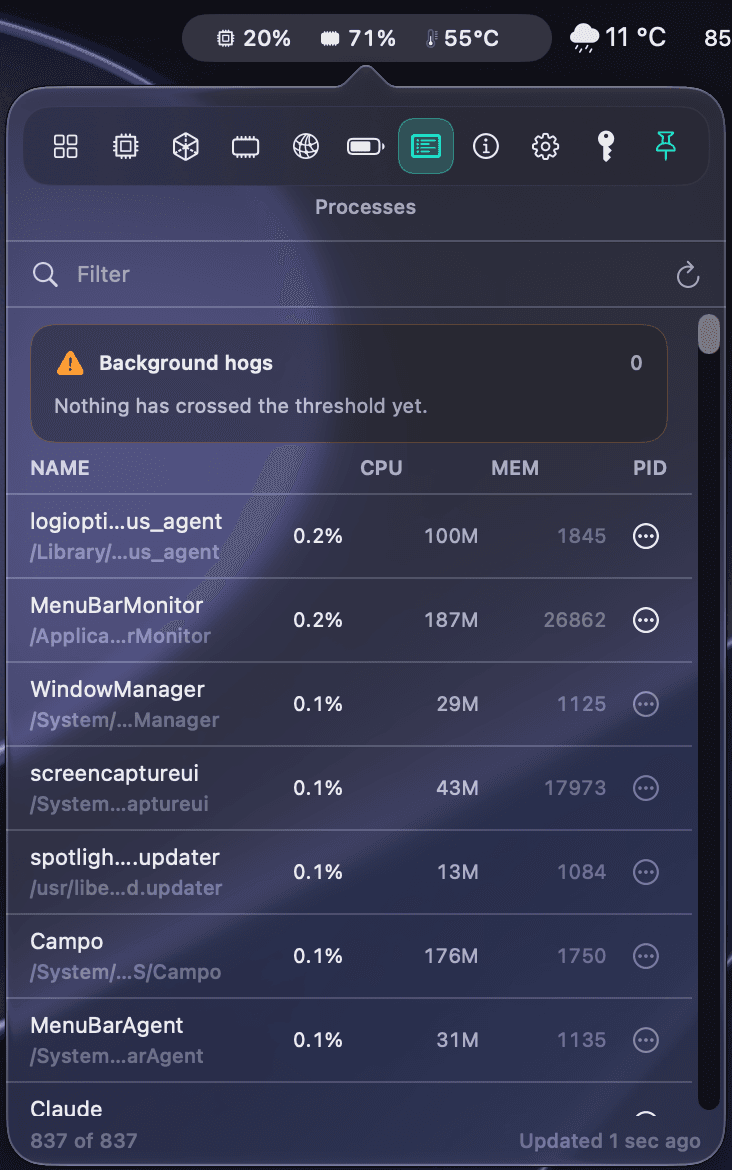
The detector tracks every userland process for sustained CPU while its app isn't focused. After a configurable threshold, the panel surfaces the top offenders with how long they've been at it and a one-click path to investigate.
- Frontmost app is excluded — your editor doesn't get blamed for typing
- Three severity tiers: noticed, persistent, egregious
- Opt-in only — disabled by default; bookkeeping is dropped instantly when you turn it off
13 languages
The interface speaks the language you do.
MenuBarMonitor renders every label in the user's chosen language — first-run picker, popover, settings, and notifications. Auto mode follows the macOS region, so a German Mac speaks German out of the box.
Pick a fixed language or leave it on Auto. Switching applies instantly — no relaunch.
One simple, one-time price
MenuBarMonitor includes the full feature set. Buy it once and keep it forever — no subscription.
Lifetime
Final price. VAT is not shown under Section 19 UStG.
Buy once, keep it forever — every future update included, across macOS generations.
- Valid for one personal Mac
- Live CPU, GPU, thermal, and RAM metrics in the menu bar
- Second-by-second P/E core split
- Top processes with soft affinity for E-cores
- Memory pressure history and optional relief tools
- No tracking. No telemetry.
- Every major and minor update included — today and in the future
- Runs on upcoming macOS versions the app supports
- No expiry, no renewals, no recurring charges
- Early access to beta updates
 +
+
Get both apps
MenuBarMonitor + Notchmate together — both license keys & downloads in one email.
Secure payment via Stripe · License key delivered by email right away